
First 24 Hours in China: Your Arrival Survival Guide
The plane touched down at Shanghai Pudong. I turned off airplane mode, waited for signal, and tried to open Google Maps.
Nothing.
Right. Google doesn't work here.
Those first 24 hours set the tone for your entire trip. Get through immigration smoothly, activate your connectivity, reach your hotel, and make your first payment—and everything else becomes routine.
Here's exactly what to do, hour by hour.
Before You Land
While you're still on the plane:
- Fill out the arrival card (if provided)
- Enable your eSIM if you have one with VPN included
- Keep home SIM active for SMS verification codes
- Have these screenshots ready:
- First hotel booking (with Chinese address)
- Return flight details
- Passport info page

Note: China launched a Digital Arrival Card system in late 2025. You may be able to complete documentation online 1-2 days before landing. Check current requirements, but have the paper form ready as backup.
Hour 0-2: Immigration
What to Expect
Immigration queues can be long. We waited about 65 minutes in September.
The line:
- Go to the "Foreigners" queue (not Chinese nationals, not TWOV)
- Have passport ready with visa/TWOV sticker visible
- Queue moves steadily but slowly
At the desk:
- Hand over passport
- Photo taken automatically
- Fingerprints scanned (all 10 fingers)
- Brief questions in English

Common Questions You'll Get
- "Purpose of visit?" → "Tourism" or "Sightseeing"
- "How long staying?" → State your exact days
- "Where are you staying?" → Name your first hotel
- "Do you speak Chinese?" → "No" or "A little"
After Immigration
- Collect baggage
- Walk through customs (usually green lane, quick)
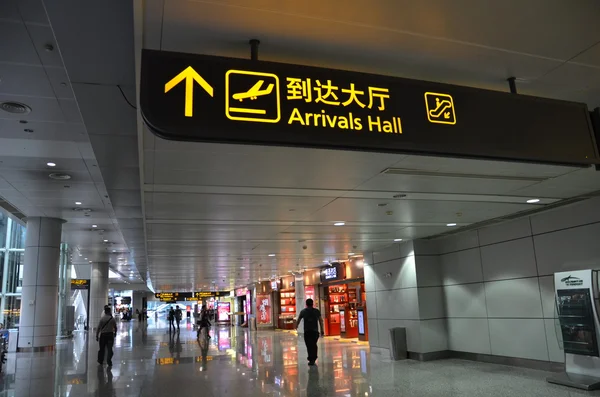
- Exit to arrivals hall
Total time: 60-120 minutes depending on queue.
Hour 2-3: Get Connected
Activate Your eSIM
If you bought an eSIM with VPN before your trip:
- Go to Settings → Cellular → eSIM
- Enable data for your China eSIM
- Turn off data for home SIM (keep SMS on)
- Test VPN connection immediately

If You Need a Physical SIM
Airport kiosks sell tourist SIMs (China Mobile, China Unicom):
- Bring your passport
- Cost: ¥100-200 for 7-14 days
- No VPN included—you'll need a separate VPN app
Test These Immediately
- [ ] VPN connects (try accessing Google)
- [ ] Alipay opens and shows verified status
- [ ] WeChat loads
- [ ] Amap shows your location
If VPN fails, don't panic. Switch servers (Hong Kong, Japan, Singapore work best) or protocols (WireGuard → OpenVPN).
Hour 3-4: Get to Your Hotel
You have three options:
Option 1: DiDi via Alipay (Recommended)
- Open Alipay
- Search "DiDi" or "滴滴出行"
- Set pickup location (follow airport signs to ride-hailing zone)
- Enter hotel address in Chinese
- Choose "Express" car type
- Confirm and wait
Cost: ¥80-150 depending on distance

Option 2: Airport Metro/Train
Major airports have metro connections:
- Shanghai Pudong: Maglev + Metro Line 2
- Beijing Capital: Airport Express
- Beijing Daxing: Daxing Airport Line
Cost: ¥10-50
Best if: Your hotel is near a metro station and you have light luggage.
Option 3: Official Taxi
Follow signs to the taxi queue. Use the metered taxi line, not touts.
Cost: Similar to DiDi but slightly higher
Tip: Show the driver your hotel address in Chinese (screenshot from Amap or your booking).
Hour 4-5: Hotel Check-In
What Happens at Reception
- Show passport + booking confirmation
- Staff scans passport
- Police registration happens automatically
- You receive key cards
- Insert card in wall slot for room electricity

Important: Get Business Cards
Immediately ask for 5-6 hotel business cards.
These show your hotel name and address in Chinese. Give one to every DiDi driver. This solves 90% of "how do I get back to my hotel" problems.
Connect to WiFi
- Hotel WiFi usually requires room number + name
- Connect your VPN immediately
- Test that Alipay and Amap still work
Hour 5-6: Your First Payment
Time to prove everything works.
Find a Convenience Store
7-Eleven, FamilyMart, or any small shop near your hotel.
Make a Test Purchase
- Grab a bottle of water or snack
- Open Alipay
- Tap Scan
- Point at the merchant's QR code
- Enter the amount shown
- Confirm with password or Face ID
- Show the green checkmark

If it works: Congratulations. You're set for the trip.
If it fails: Try WeChat Pay, or check that your card is properly linked in Alipay.
First Evening: Set Up for Tomorrow
Download Offline Content
Your VPN will be inconsistent. Prepare for offline moments:
- Google Translate offline Chinese pack (if not done already)
- Amap offline maps for your city
- Entertainment for train rides
Plan Tomorrow's Route
- Open Amap
- Search your first destination in Chinese
- Check metro routes and exit numbers
- Save the location to Favorites
Set Up Metro QR
- Open Alipay
- Search "Metro + [your city]" (e.g., "Metro Shanghai")
- Activate the city card
- Test that your QR code generates

Charge Everything
- Phone to 100%
- Power bank to 100%
- Pack cables in your daypack
First 24 Hours Checklist
On the plane:
- [ ] Arrival card filled out
- [ ] Hotel address screenshot ready
- [ ] eSIM ready to activate
Immigration:
- [ ] Passport with visa accessible
- [ ] Basic answers prepared
- [ ] Patience for the queue
Arrivals hall:
- [ ] eSIM activated
- [ ] VPN tested
- [ ] Alipay confirmed working
Transport to hotel:
- [ ] DiDi booked or metro route known
- [ ] Hotel address in Chinese ready
At hotel:
- [ ] Checked in successfully
- [ ] Business cards collected
- [ ] WiFi connected with VPN
First payment:
- [ ] Test purchase completed
- [ ] Alipay working confirmed
Evening prep:
- [ ] Offline content downloaded
- [ ] Tomorrow's route planned
- [ ] Metro QR set up
- [ ] Devices charging
Common First-Day Problems
VPN won't connect
- Toggle airplane mode for 10 seconds
- Switch VPN protocol (WireGuard → OpenVPN)
- Change server (try Japan or Singapore)
- Switch from WiFi to mobile data
Alipay payment fails
- Check your card is linked and verified
- Try a smaller amount
- Ask if they accept WeChat Pay instead
- Use cash as last resort
Can't find DiDi pickup zone
- Follow airport signs for "网约车" (ride-hailing)
- Move your pickup pin to a main road
- Call the driver (or have someone translate)
Jet lag hitting hard
Don't fight it the first night. Rest when you need to. Tomorrow is a new day.
What Tomorrow Looks Like
Once you've survived the first 24 hours:
- Metro rides become automatic
- Payments take 3 seconds
- Navigation is routine
- Language barrier is manageable with apps
The hardest part is behind you. Now you can actually enjoy China.
Need Backup Support?
If you'd rather have someone available when things go wrong—like a payment failing at 11 PM or VPN dying before an important ride—our Guardian package includes 24/7 WeChat support for $19.
Related Guides:
Need more than the guide?
This guide covers the basics. If real-world friction shows up, you can compare the support options and choose the level of human backup that fits your trip.