
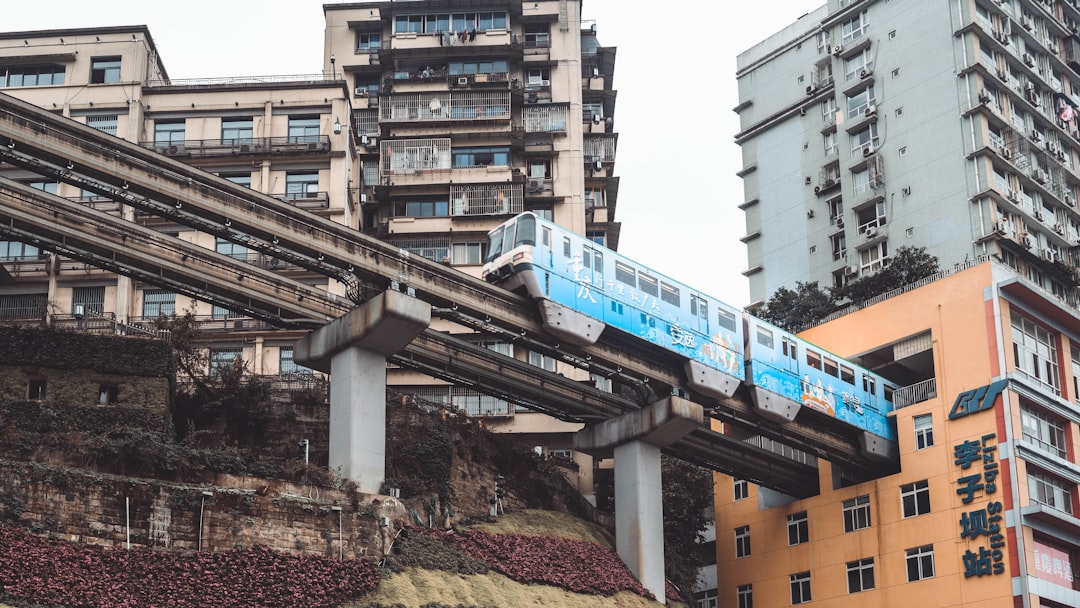
Using the Metro in China: The Complete Guide
The Beijing subway moved 10 million people yesterday. Today it'll move 10 million more.
You're going to be one of them. Here's how to do it without fumbling for change or staring at ticket machines.
Why the Metro Is Your Best Friend
In Chinese cities, the metro beats every other transport option during daytime hours:
- Faster than taxis in traffic (which is always)
- Predictable — trains every 2-5 minutes
- Cheap — ¥2-8 per trip ($0.30-$1.10)
- Air-conditioned — essential in summer
- English signage — in all major cities
- No communication needed — tap and go
We used metro for about 70% of our transportation. DiDi for the rest.

Payment Options Ranked
1. Alipay Metro QR (Best Option)
Scan in with a QR code, scan out, fare calculated automatically. No tokens, no cards, no cash.
Setup (do this once per city):
- Open Alipay
- Tap Transport (or search for "Metro + [city name]")
- Allow location permissions
- Select your city (Beijing, Shanghai, Xi'an, etc.)
- Tap Get Code or Activate
- You may need to add passport info

Using it:
- Open Alipay → Transport → Metro
- Your QR code appears
- Scan at the entry gate
- Ride the metro
- Scan at the exit gate
- Fare is auto-charged to your linked card
Important notes:
- Each city requires separate setup
- QR needs internet to work
- Works on metro only (buses are different)
2. Physical Transport Card (Reliable Backup)
Buy a reloadable card at any metro station. Works on metro AND buses.
How to get one:
- Go to the ticket window or kiosk
- Say "交通卡" (jiāo tōng kǎ) or point to the card display
- Pay deposit (usually ¥20) + load value (¥50-100)
- Tap at entry and exit gates
Pros:
- No internet needed
- Works on buses too
- Faster than QR if you're rushing
Cons:
- Need to reload when empty
- Deposit refund can be annoying
- One card per city
3. Ticket Machine (Works Fine)
Token-based single rides from machines at every station.
How it works:
- Find a ticket machine (TVM)
- Select English interface
- Tap your destination on the map
- Pay with cash or mobile payment
- Collect your token
- Insert token at entry gate
- Drop token in exit gate
When to use: First day confusion, phone battery dead, testing the system.

4. Contactless Bank Card (Some Cities)
A few metro systems accept tap-to-pay Visa/Mastercard. Shanghai is the most reliable for this.
Usually charges a flat rate (¥5-8) regardless of distance—not ideal for short trips.
Station Flow: What to Expect
Every Chinese metro station follows the same pattern.
Entry
- Security screening — bag on X-ray, walk through detector
- Tap/scan at gate — QR code, transport card, or token
- Enter platform area
The security is quick—maybe 30 seconds unless there's a line.
Finding Your Train
- Lines are color-coded (same as the map)
- Platforms show direction (terminus station name)
- Pinyin names displayed alongside Chinese
Look for your line color → check you're going the right direction → wait for train.

Riding
- Trains every 2-5 minutes
- Announcements in Chinese and English
- Station names on digital displays
- Transfers clearly signed
Exit
- Follow 出口 (Exit) signs
- Note your exit number (A, B, C, D, etc.)
- Scan QR/tap card at exit gate
- Fare is calculated and charged
Pro tip: Major stations have 10+ exits. Use Amap to figure out which exit is closest to your destination BEFORE you enter the station.
City-Specific Notes
Beijing Metro
- 23 lines, one of the world's largest systems
- English signage is excellent
- Alipay Metro setup is smooth
- Can get crowded during rush hour (7-9 AM, 5-7 PM)
Shanghai Metro
- 19 lines, very well connected
- Contactless Visa/Mastercard works at some gates
- Signs are clear
- Less crowded than Beijing at peak times
Xi'an Metro
- 9 lines, still expanding
- Smaller but covers tourist sites well
- Same Alipay process
- Less international than Beijing/Shanghai but still manageable
Rush Hour Reality
We won't sugarcoat this: rush hour is intense.
Trains are packed. People push to board before others exit. Personal space doesn't exist.
Survival tips:
- Travel outside 7-9 AM and 5-7 PM when possible
- Let overcrowded trains pass (next one is 3 minutes away)
- Stand near doors if you're getting off soon
- Be assertive when exiting—step forward decisively
- Don't take pushing personally (it's normal, not rude)
The first rush hour is culture shock. By the third day, you're doing it automatically.

Troubleshooting
QR code won't scan
- Check internet connection (switch WiFi/data)
- Make sure you're in the correct city in the app
- Refresh the QR code (pull down to refresh)
- Try a different gate
- Use ticket machine as backup
Gate won't open
- Didn't scan properly — try again
- Balance issue — check Alipay is loaded
- Wrong city activated — switch to correct city card
- System glitch — use another gate or ask staff
Got lost
- Every station has area maps near exits
- Staff can't usually help in English, but pointing at a map works
- Amap shows which exit you need
- Take the train back one stop if you overshot
Missed your stop
Stay calm. Exit at the next station, cross to the opposite platform, take the train back. Happens to everyone.
Money-Saving Tips
- No tourist passes — daily/weekly passes are rarely worth it for visitors
- Short trips are cheap — even 30-minute rides are only ¥4-5
- Transfer for free — stay inside the paid zone when switching lines
- Avoid taxis for metro-accessible destinations — DiDi during rush hour often takes longer anyway
Our Actual Experience
We used Beijing, Xi'an, and Shanghai metros extensively for 14 days.
What worked:
- Alipay QR worked perfectly in all three cities
- English signage was clear everywhere
- Transfers were well-marked
- Never waited more than 5 minutes for a train
Minor issues:
- Setting up a new city took a few minutes
- One time the QR wouldn't load (low signal underground—refreshed and worked)
- Exit numbers were confusing until we learned to check Amap first
Overall: The metro was our default transportation. Reliable, cheap, and surprisingly comfortable outside rush hours.
Quick Setup Checklist
Before you fly:
- [ ] Alipay downloaded and verified
- [ ] Card linked to Alipay
- [ ] Amap downloaded with offline maps
First metro ride:
- [ ] Open Alipay → Transport → Metro
- [ ] Activate your first city's card
- [ ] Test the QR scan at entry
- [ ] Know your exit number from Amap
Daily:
- [ ] Phone charged (QR needs screen brightness)
- [ ] Check which exit you need before entering
- [ ] Avoid 7-9 AM and 5-7 PM if possible
Need Help Setting Up?
If you'd rather have someone walk you through Alipay Metro setup or troubleshoot when the QR won't scan, our Guardian package includes 24/7 WeChat support. It's $19 and covers all your "why isn't this working" moments.
Related Guides:
Need more than the guide?
This guide covers the basics. If real-world friction shows up, you can compare the support options and choose the level of human backup that fits your trip.